Home > Docs > Submitting your project
Submitting your project
Finished with your project? Great job! Last thing to do now is submit your project- but first, you'll want to go over this short pre-flight checklist to make sure your project passes all the requirements!
Do's and Don'ts
The section will go over what specifically is and isn't allowed for shipped projects.
Good Practice
Hack Club projects are measured what we like to call 'good practice': this is the time that is spent actively learning.
Hours spent coding, debugging, and reading documentation are good practice. Hours spent passively reading/watching tutorials or vibe-coding is not.
Making art is not good practice, but up to 25% of your project's recorded time can be spent making art assets!
Please only count the amount of hours spent on 'good practice' on your submission form! Trying to inflate how long you've worked comes across as suspicious, so please be honest!
On AI usage
Roughly 10% of your project can, at most, be vibe-coded. This 10% vibe-code limit includes AI-generated code, AI-modified code. You're allowed to prompt AI for help as much as you want- but the final 90% of the code must be written by you.
AI-generated artwork or assets are not allowed! If you need help finding art, you can ask another artist, find stock images, or try drawing assets yourself!
Fraud
Fraud refers to intentionally manipulating your working hours to earn more working hours. Any projects with signs of fraud (or trying to deceive reviewers) will be rejected immediately, and in worst cases, you might be banned from future Hack Club programs!
Some examples of fraud would be fabricated Hackatime data/heartbeats, projects copied entirely from another person, a misleading Github commit history.
Setting up a code repository
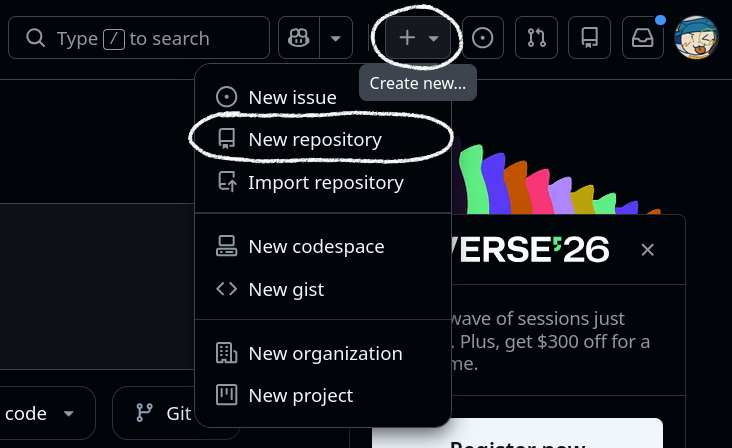
The first thing you want to do is set up a Github repository. Sign up (or login) on Github. Click on the plus button at the top right, then click 'Create new repository':
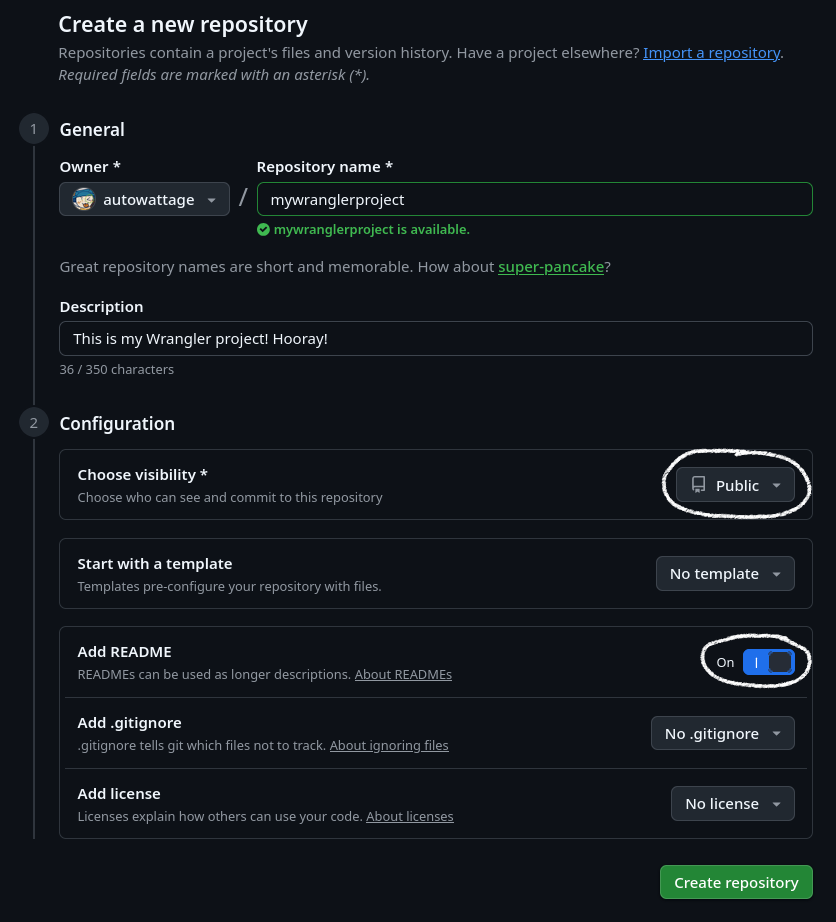
Make sure your Github repo is public, and that you've created a README.md:
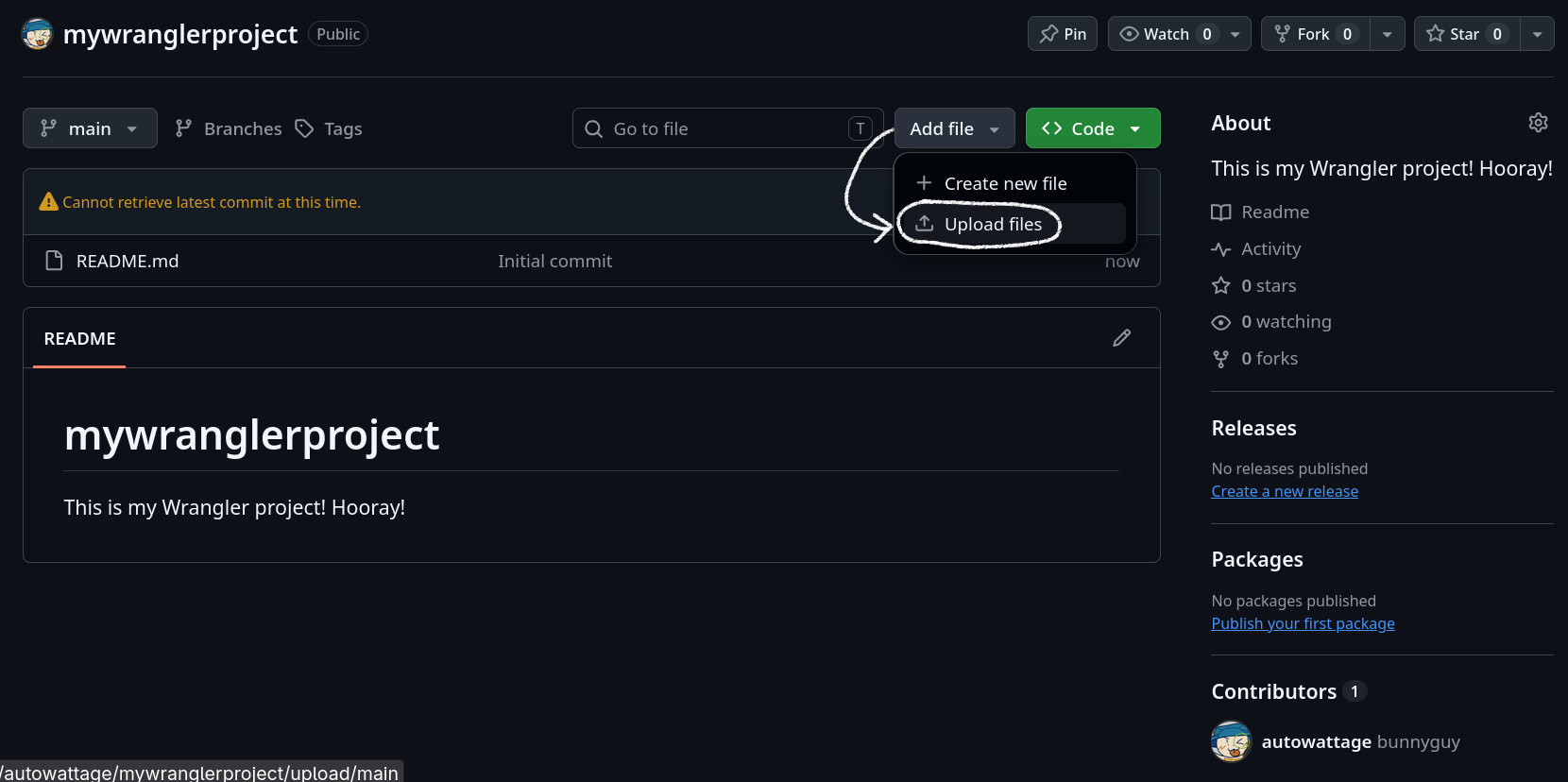
Upload your files by clicking the Add File -> Upload Files button:
After adding all your files, write a descriptive README:
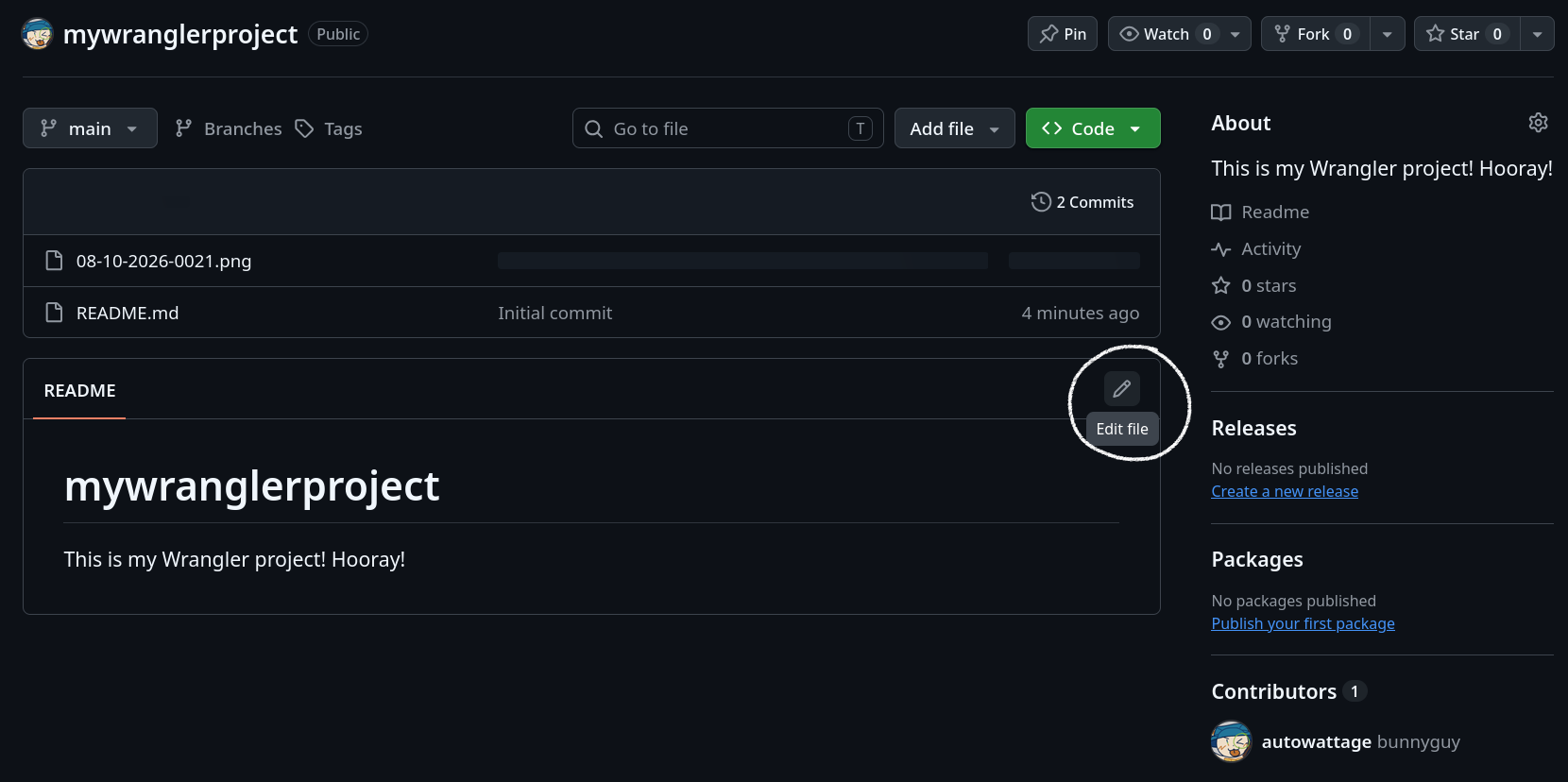
README.md uses the Markdown writing format. In your README.md, include:
- What your project is
- What it does
- A picture of your project in action
- How to install it
- How to use it
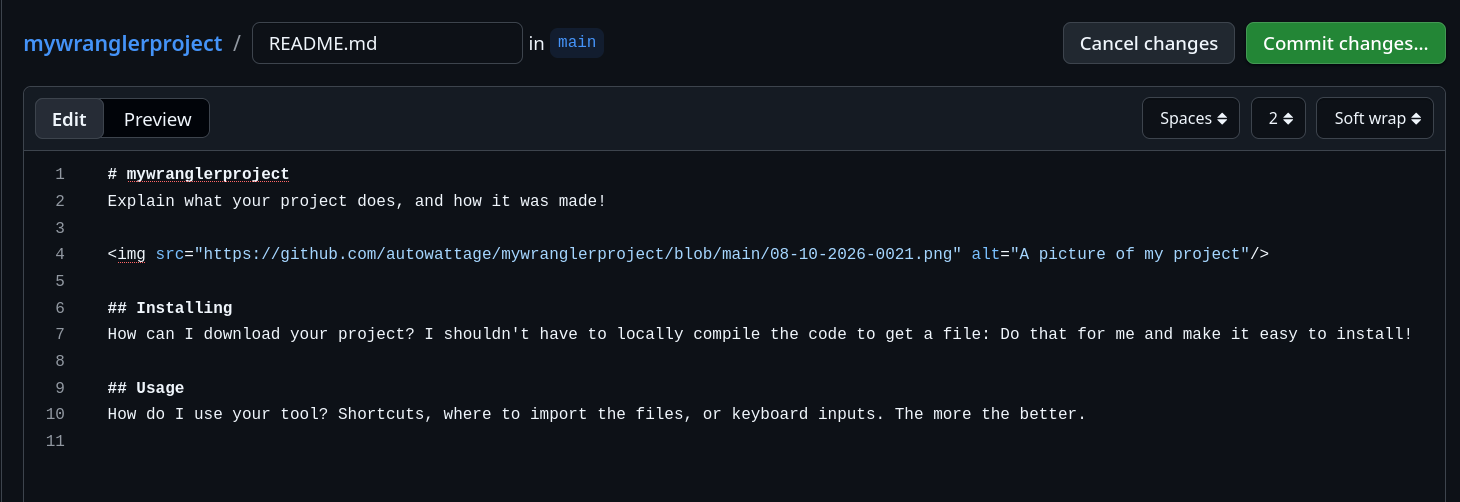
Your Github code repository is now complete!
Getting time tracking links
One of the requirements on the submission form are Lapse/Lookout/Hackatime links.
Hackatime
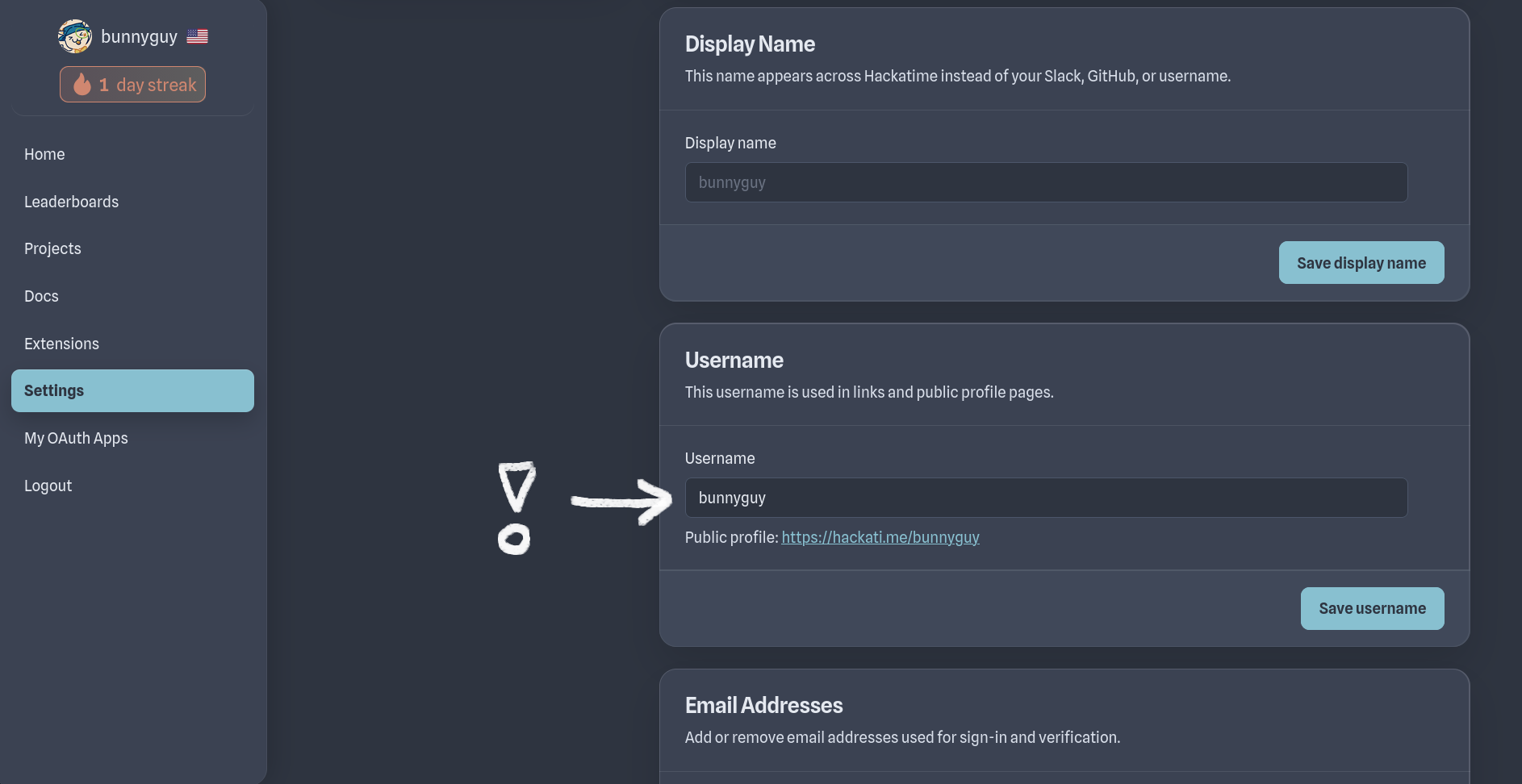
Before you can get a Hackatime link, you need to set up a username. Go to your settings, then change the username in the username section!
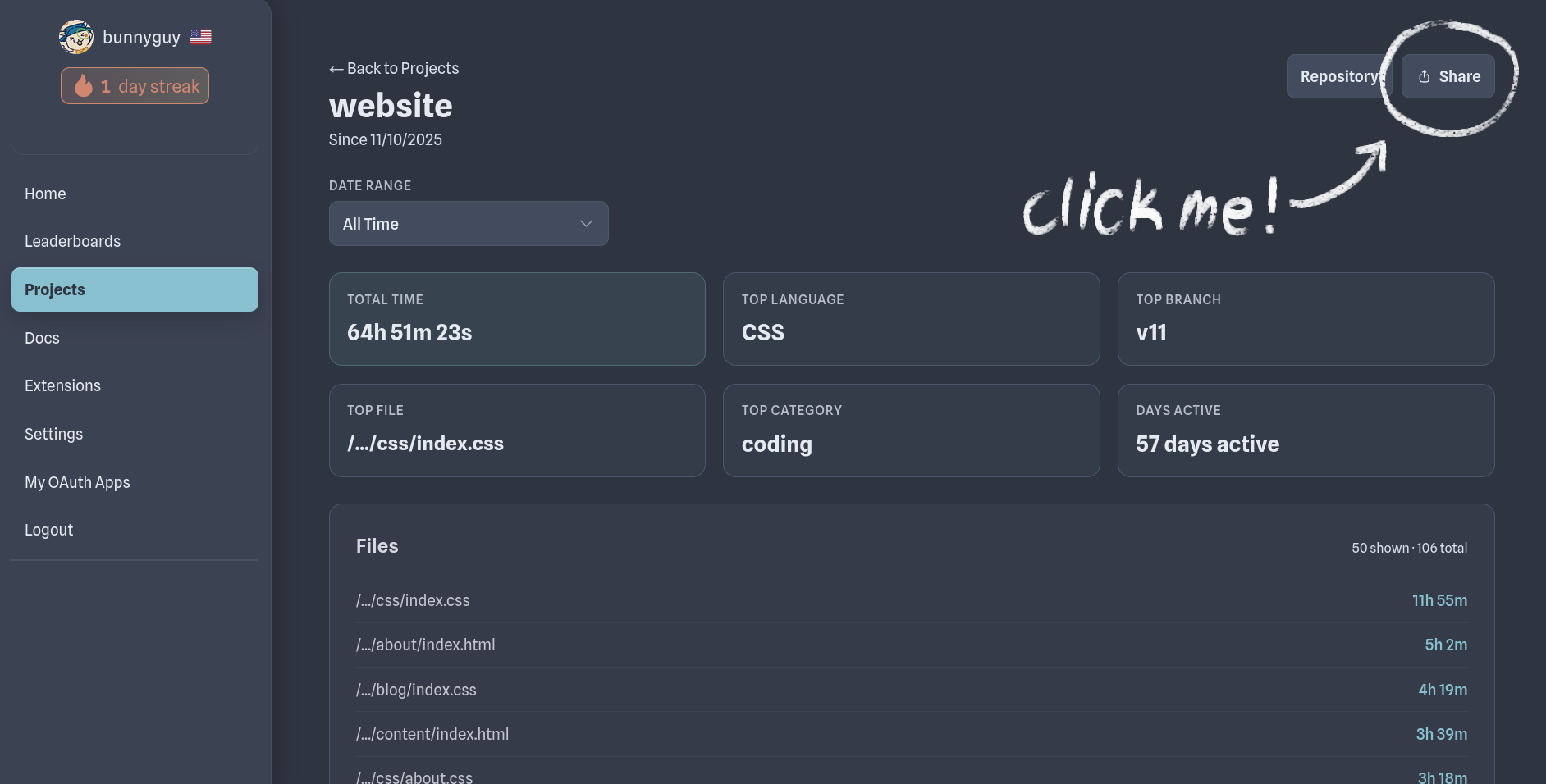
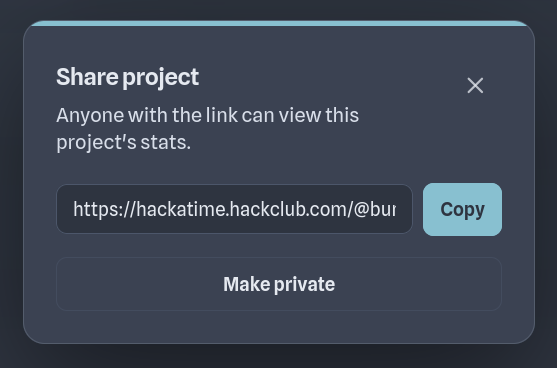
Go to your projects page. Click on your project, then click on Share. Copy the link outputted and paste it in the submission form!
Lapse/Lookout
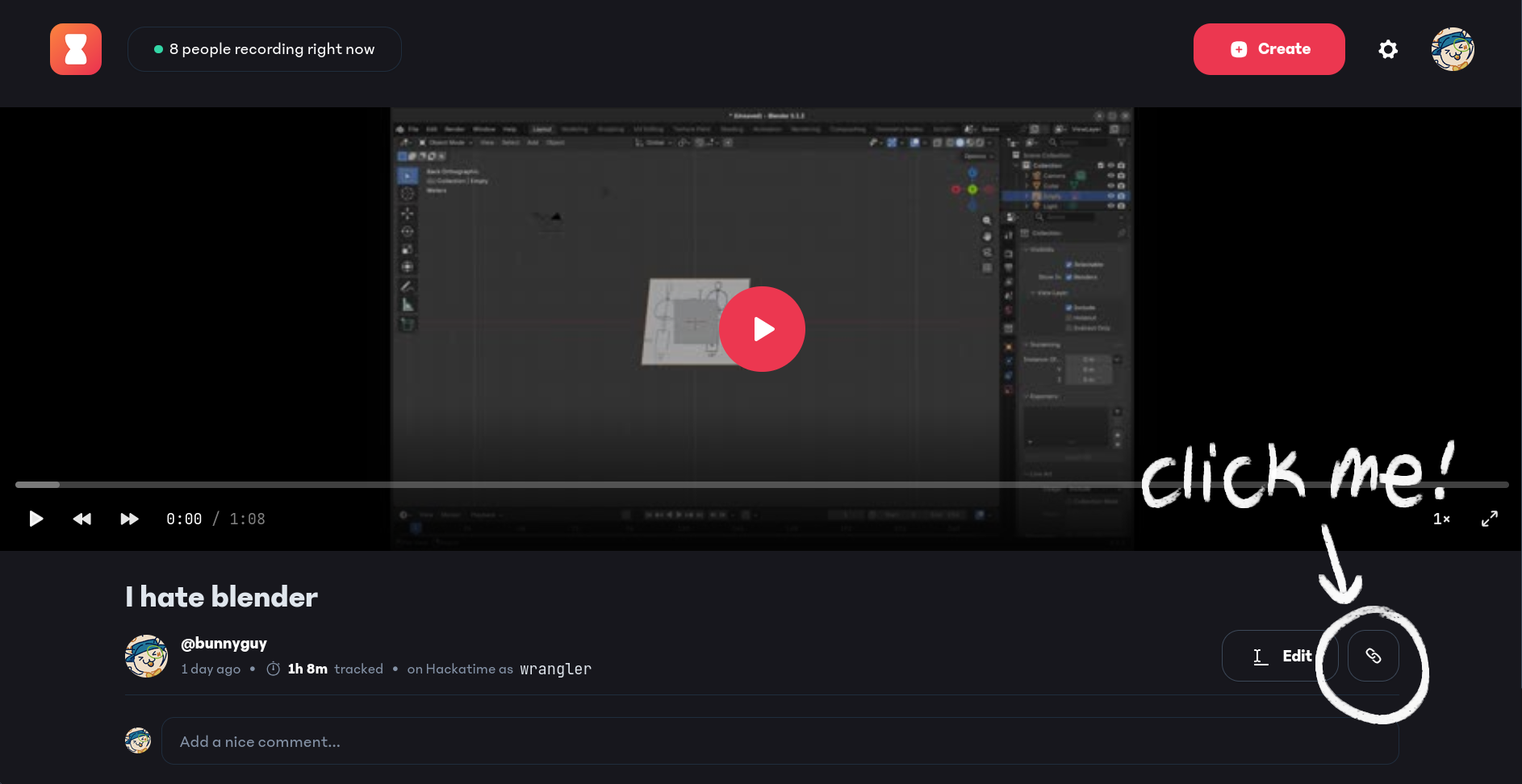
You can get your Lapse recording link at the Lapse website. Go to your profile on the top right corner, then click on the timelapse you want to submit for working hours. Then click the share icon on the bottom right corner of the screen, and paste the link into the submission form!
Shipping and Submitting
The last thing to do before submitting is to ship your project, which means publishing and sharing your project online. You can do this on a variety of websites, like a social media post, web forums, or an itch.io page!
Once you've finished looking through the checklist, submit your project to this form here.
You're finished, congrats! I (Nick) will get to reviewing your project to verify your hours in 1-3 working days!